 Bijay
[LAST VERIFIED: 14 October 2026]
Parking theme gives your home screen a black, minimal look with dark icons and matching wallpaper. Created by Mazyoku and styled as ParKING, it is free and roughly 32 MB. If you prefer a simple layout, its coordinated design is the main reason to take a closer look.
This version is listed for Xiaomi, Redmi and POCO phones running MIUI 12, 13 or 14, including HyperOS. You can open its Global Theme Store listing or use an MTZ file on a compatible custom ROM with an Import option.
Here’s how to check compatibility, choose a download method and apply ParKING.
| Theme name | ParKING |
|---|---|
| Designer | Mazyoku |
| Size | Roughly 32 MB |
| Compatible with | Xiaomi, Redmi and POCO phones running MIUI 12, MIUI 13 or MIUI 14 & HyperOS |
| Region | Global Theme Store |
| Style | Black, simple and minimal, with dark icons and matching wallpaper |
| Price | Free |
How We Checked This Guide
This guide draws on the ParKING theme pages published on MIUI Themer and MIUI Themez, plus installation questions users raised in their comments. We have not tested the theme ourselves, so confirm the name, designer and compatibility on the Official Theme Store listing before you download.
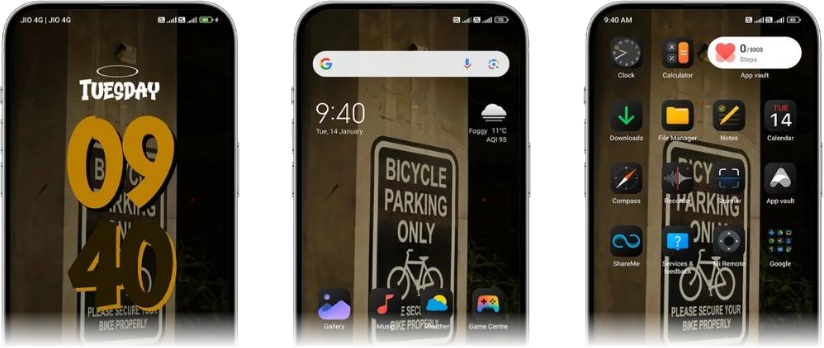
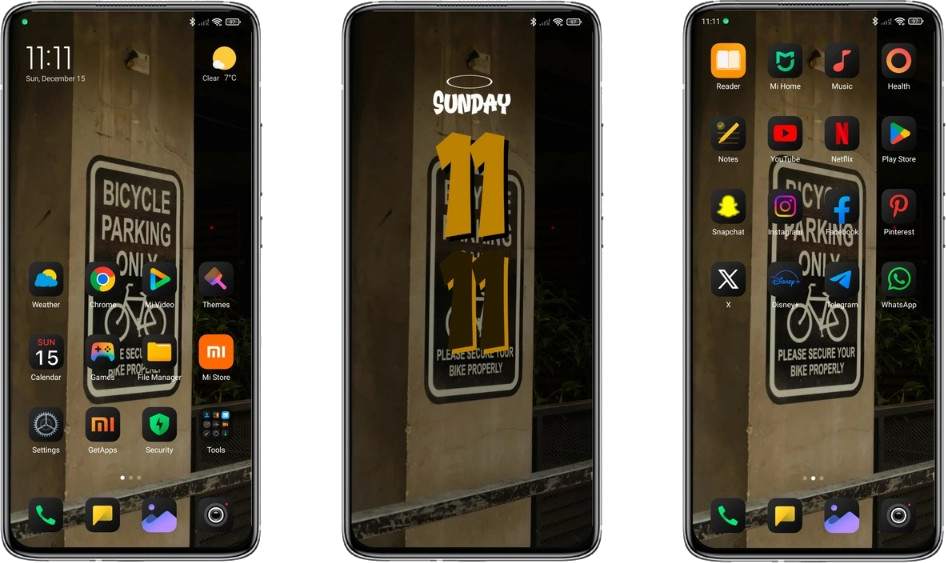
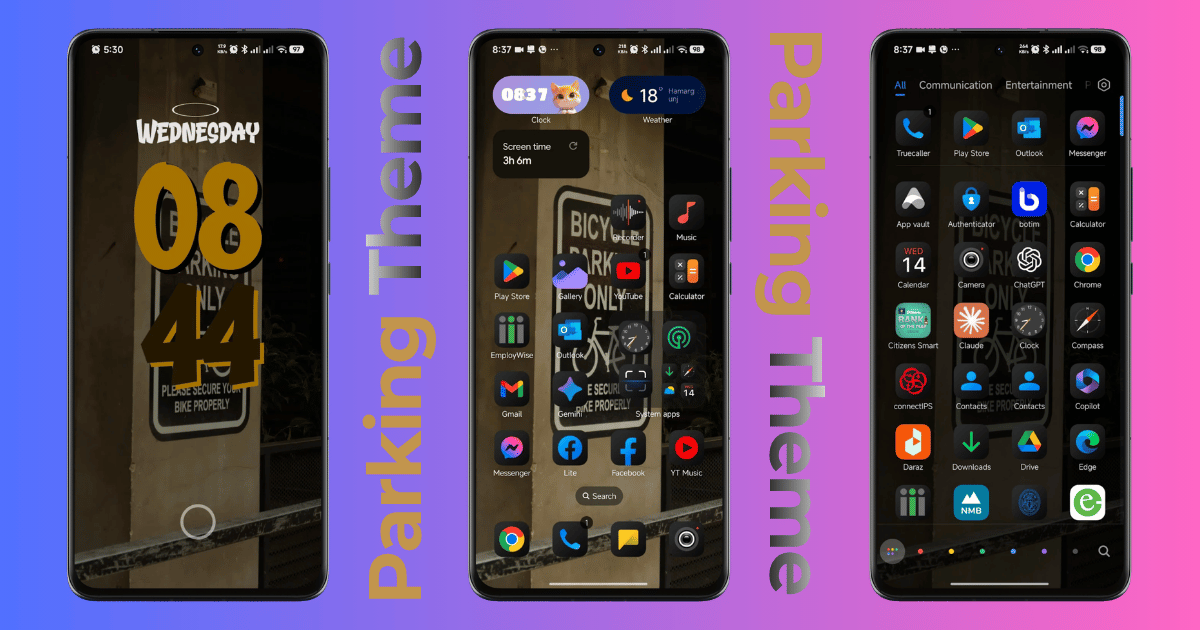
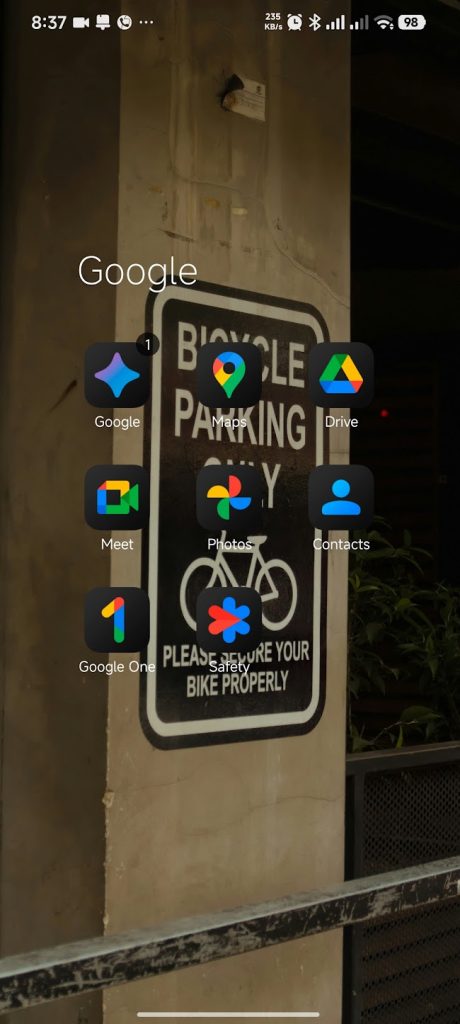
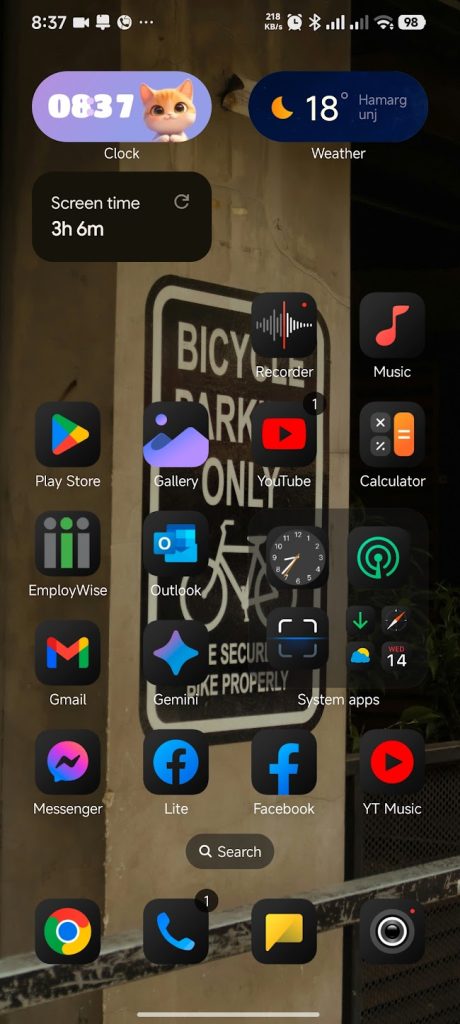
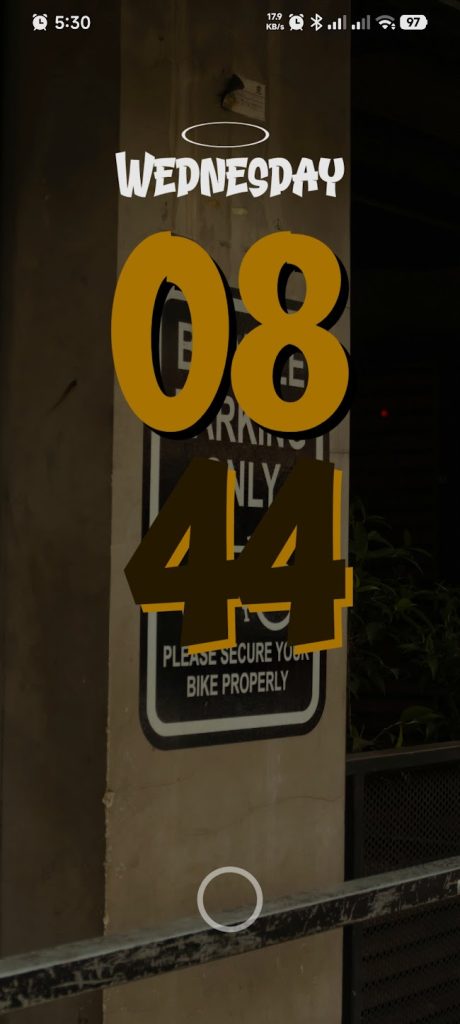
Parking Theme Preview
Look at the dark icons against the matching wallpaper in the preview. Check the contrast around app labels.
What You Get With the ParKING Theme
ParKING at a glance
ParKING is for Xiaomi, Redmi and POCO users who like a black, minimal style. It pairs dark icons with matching wallpaper. Lock screen editing and Always-on Display customization are not confirmed for this package.
Dark icons
Dark icons are a defining part of ParKING’s minimal style. Check the preview to decide whether they suit your home screen.
Matching wallpaper
The Parking theme wallpaper is part of the coordinated design. Try it with the icons first, before adding your own background.
Black minimal style
The listing describes ParKING as black and simple. Expect a calm, low-decoration look, not a colorful one.
Is Your Phone Compatible?
Find your installed software version in Settings. Then use the table below to match your phone and software to the listing.
- Open Settings on your phone.
- Tap About phone.
- Read the operating system name and version.
| Software or phone | Status | Notes |
|---|---|---|
| MIUI 12, 13 and 14 | StatusListed | NotesCheck version in Settings > About phone |
| HyperOS | StatusCan run perfectly | NotesYou can download and Install |
| Xiaomi, Redmi, POCO | StatusSupported phone families | NotesSoftware must also match |
| Samsung, Oppo, Vivo, Realme, Infinix, Tecno and other brands | StatusNot supported | NotesUse your brand’s themes |
Both the software row and the phone-family row need to match your setup. The model name alone is not enough.
The official listing is in the Global Theme Store. For local-file installation, your compatible ROM must also provide an Import option in Themes.
Parking Theme Download
Official Theme Store
Use the official route on a supported phone with a Global Stable ROM. Open the link on that phone.
This link opens an app page, so it is best used on the phone where you want to apply the theme. A desktop browser may have no app available to handle it.
MTZ download for custom ROMs
A Parking theme MTZ file is a local theme package that you import through Themes. Use this route only if your custom ROM supports this theme package and provides an Import option.
Having a custom ROM is not enough. Use the compatibility section and look for Import in Themes. You do not need an APK installer for either method in this guide.
Before you download: Prefer the official link. Keep a backup of your current theme where available, or note its name. Classic is the default fallback, but it may not be the theme you are currently using.
How to Apply the Parking Theme
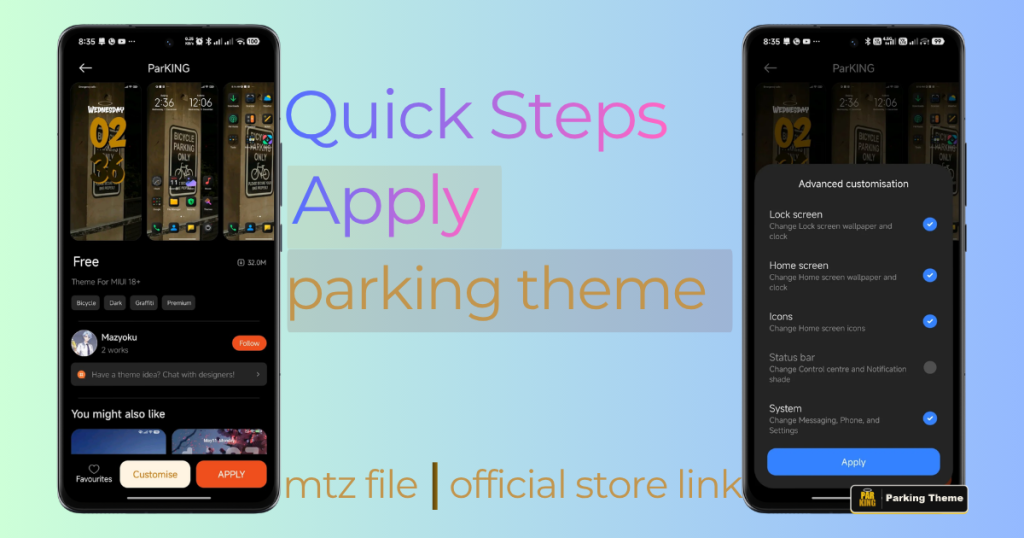
Method A through the official store
- Open this page on your phone in Chrome or Xiaomi Browser.
- Tap the Official Theme Store link above.
- If asked which app should open it, select Themes.
- Check that the listing shows ParKING by Mazyoku, then tap Download.
- Wait for the download to finish and tap Apply.
Method B through MTZ import
- Download the MTZ package to a folder you can find easily.
- If the ParKING package arrives with a .zip extension, rename that ending to .mtz.
- Open Themes, go to the Themes tab and scroll down to Import.
- Select the .mtz file in the file manager and wait for the import to finish.
- Open the imported theme and tap Apply.
- Restart the phone if icons overlap or look wrong.
Rename only the ParKING theme package when its extension needs correcting. Changing the extension of an unrelated archive will not turn it into a theme.
How to switch back
Open Themes and apply the default Classic theme. If you prefer your previous custom look, find the theme whose name you saved before switching.
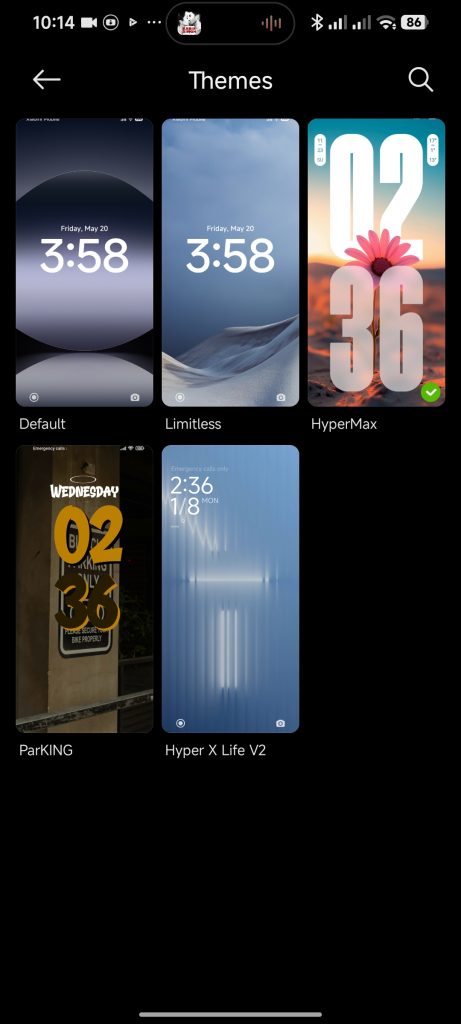
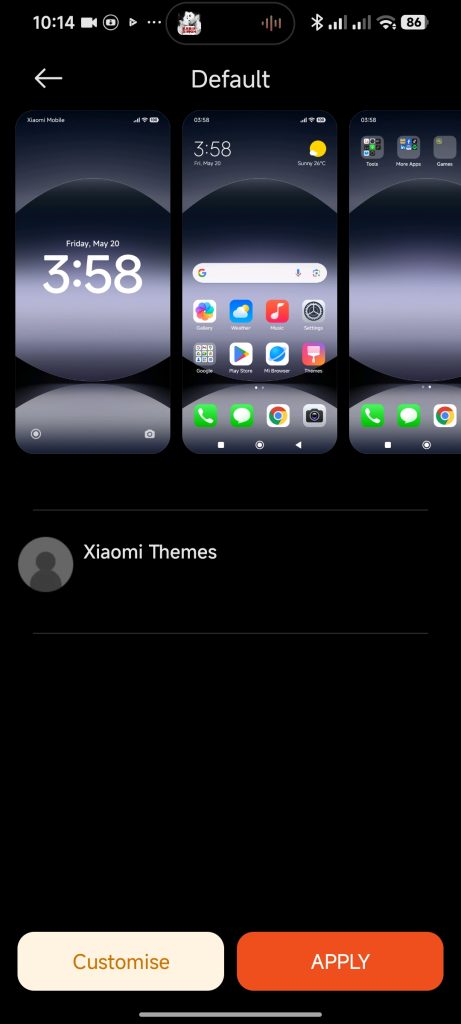
Troubleshooting Common Problems
The theme will not appear or apply
Check compatibility first. This package is listed for Xiaomi, Redmi and POCO phones running MIUI 12, 13 or 14; HyperOS support is not confirmed. Also check that you are using the Global Theme Store, because the listing does not appear in the Chinese store.
The official link does nothing
Try Chrome or Xiaomi Browser and choose Themes if an app prompt appears. Clear the browser cache if the link still fails. Firefox also works for some users. Open this page directly in the browser if you first reached it inside another app.
The Import option is missing
Local importing is mainly a custom ROM feature. If your Themes app has no Import option, use the official store method on a supported Global Stable setup.
The file still shows as ZIP
Check the complete filename after renaming. It should end in .mtz, not .mtz.zip. If the package is rejected, check that you selected the intended file and review your ROM’s import support.
The icons look wrong
Restart the phone once after applying. If the problem remains, note which icons look wrong and where they appear. A screenshot can help when asking for installation support.
Who Should Use This Theme?
ParKING suits people who prefer dark system icons and a simple background. It is a useful option if you want the wallpaper and icons to feel like parts of one design.
Choose it if you like black, minimal styling and your setup passes the compatibility checks.
Consider another style if you prefer a bright, colorful home screen.
Look elsewhere for extra customization: lock screen editing and Always-on Display customization are not confirmed for this package.
Three Ways to Set Up the Dark Look
Pair it with system dark mode. Try dark mode after applying the theme and see whether your usual apps fit the overall look.
Choose one simple widget. Start with a clock or weather widget, leaving room for the dark icons.
Check contrast against the black background. View the icons at your normal screen brightness.
Frequently Asked Questions
Yes. ParKING by Mazyoku is listed as free, with a download size of roughly 32 MB.
The safest route is the Official Theme Store listing on a supported phone. MTZ files are for compatible custom ROMs and should come only from a source you trust. Themes change the look of your phone, and you can return to the default appearance by applying Classic.
The listing names MIUI 12, 13 and 14. It is not listed for HyperOS but it runs smoothly as like in MIUI. Open Settings > About phone to see which one your phone runs. If it shows HyperOS, pick a theme that lists HyperOS support instead.
This package is for compatible Xiaomi, Redmi and POCO phones. It is not a theme package for Samsung, Infinix, Tecno, Oppo, Vivo or Realme. If you own another brand, use its own theme options. Renaming the ParKING file will not make it compatible with your phone.
The Official Theme Store listing is Global-only, so a China-region store will not show it. MTZ installation needs a compatible custom ROM with an Import option, and a China ROM alone is not enough. Check for that option before downloading the package.
The ParKING package may have downloaded with a .zip extension. Open your file manager, check the full filename and change the ending to .mtz. Make sure the result does not end in .mtz.zip. Then select that file through the Import option in Themes.
ParKING focuses on dark icons, matching wallpaper and a black, minimal style. Lock screen editing and AOD customization are not confirmed for this package. If those features are your priority, check another theme’s feature list before you choose it.
The theme’s wallpaper is part of the package, and there is no separate wallpaper download here. A screenshot of your home screen is not a clean wallpaper because it includes icons and other screen elements. If you need the wallpaper image, use the contact option to ask about it.
Open the Themes app, find the default Classic theme and tap Apply. To go back to a different theme you used before, apply it by name instead. Noting your current theme’s name before you switch makes this easier. You can switch back at any time.
Conclusion
Parking theme pairs dark icons and matching wallpaper in a free, black and minimal package by Mazyoku. If that simple style appeals to you, start with the preview and the phone checks above.
Check your software version first. Then use the official store route, or the MTZ import if your compatible custom ROM supports it.
ParKING is created by Mazyoku. parkingtheme.com is an independent guide and is not affiliated with Xiaomi.